
Capture once.
Share with family.
Create books later.
Your child's everyday moments should not disappear into old chat threads. Save the little stories, photos, and videos in one private timeline, share the ones you choose, and turn them into keepsake books when you are ready.
Or get the mobile app
7-day free trial · Private by default · Web, iOS & Android

Why this exists
The updates you send today are the memories you will want tomorrow.
Right now those little stories live in a dozen places: the family chat, your camera roll, a notes app, a half-finished baby book. It works in the moment.
But phones change, threads get lost, and photo libraries pile up. When it is finally time to make a book, the moments you cared about most are scattered or gone. Magic Baby Books gives that habit a durable home instead.
Today, scattered across
In one private timeline

Summer is here!
Saved · shared with family · ready for the book
How it works
One simple flow, from everyday moment to keepsake.
Three jobs that usually live in different apps, finally in one gentle place.
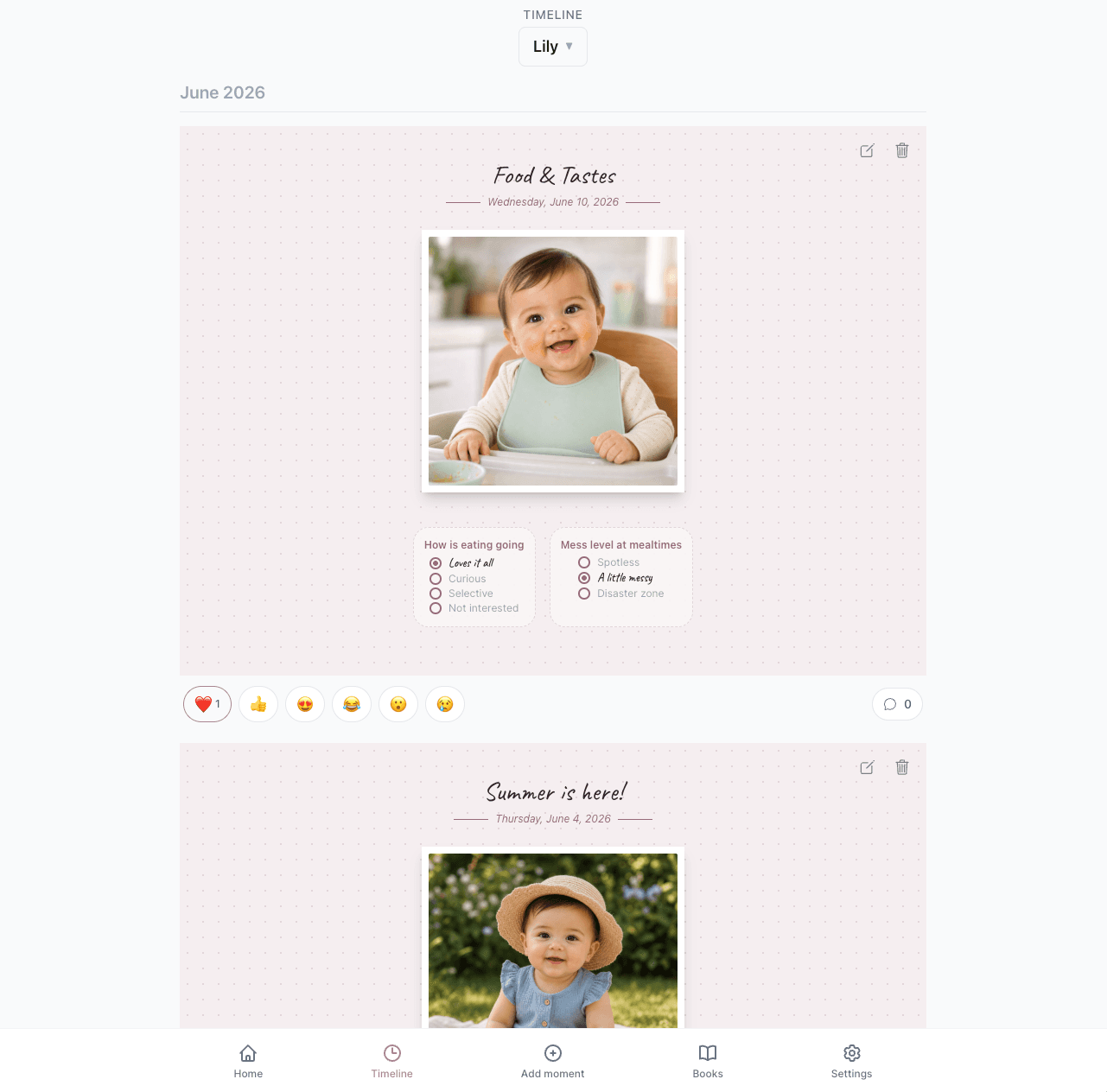
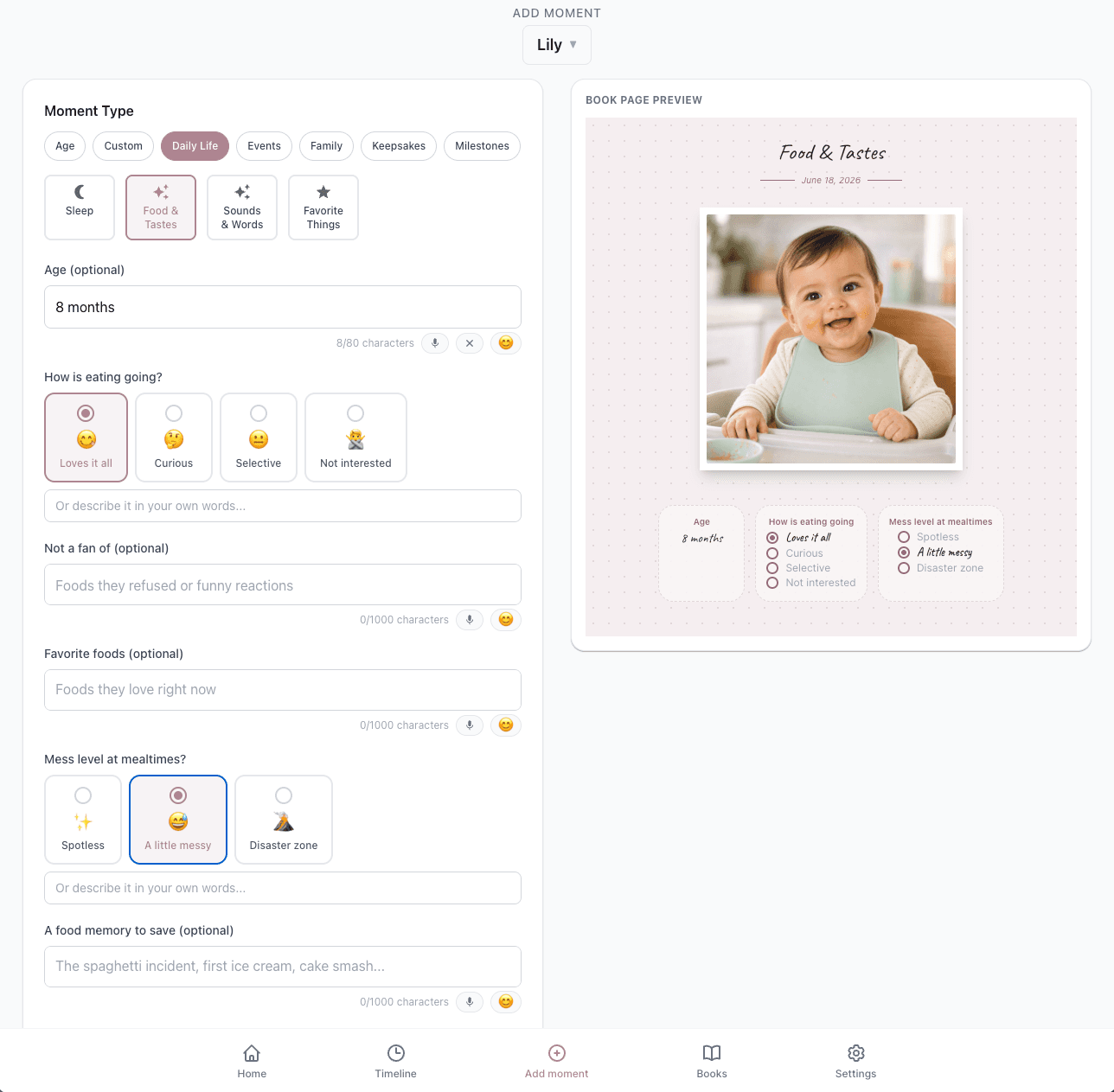
Save the moment while it is happening.
Add a quick story, a photo or video, a funny quote, or a voice-assisted memory straight from your phone. Everything stays gently organized by child and date.
Keep family close, without losing the memory.
Invite the people closest to you as viewers or contributors. Viewers follow along, and contributors can add their own moments too. Everyone signs in with their own email and only sees what you have shared. Reactions and comments stay attached to the memory instead of scrolling away in a chat thread.
Turn saved moments into keepsake books.
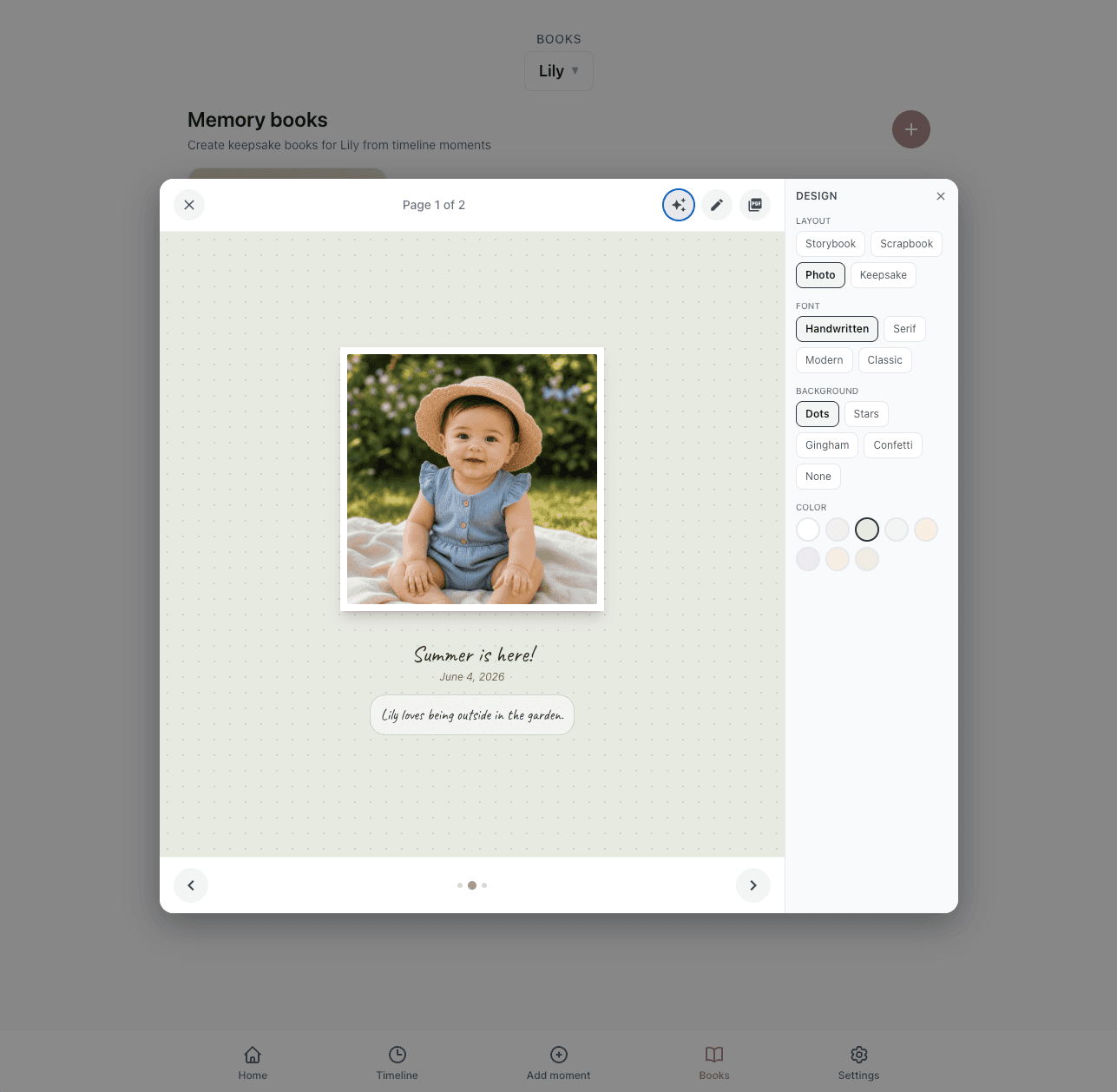
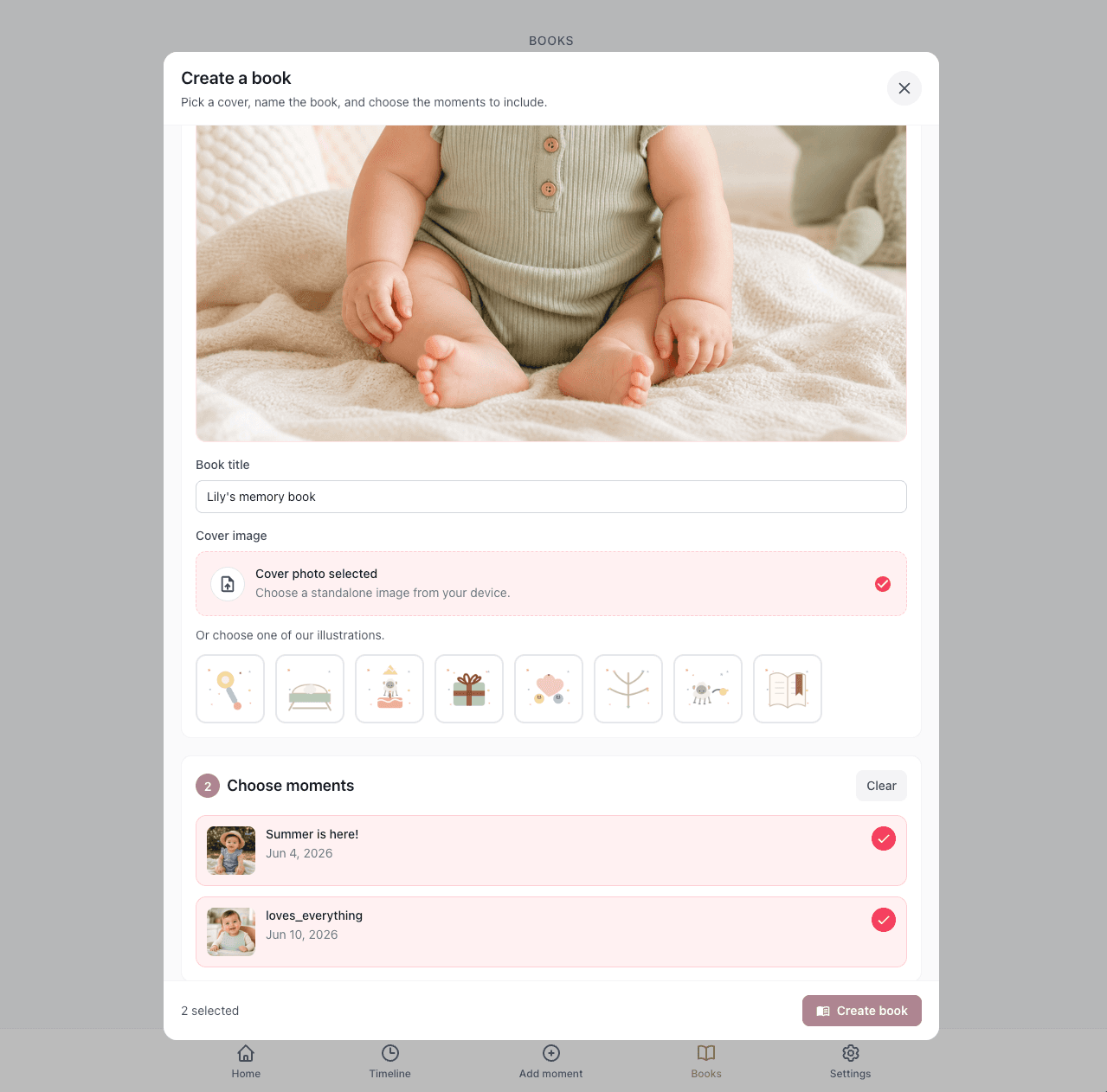
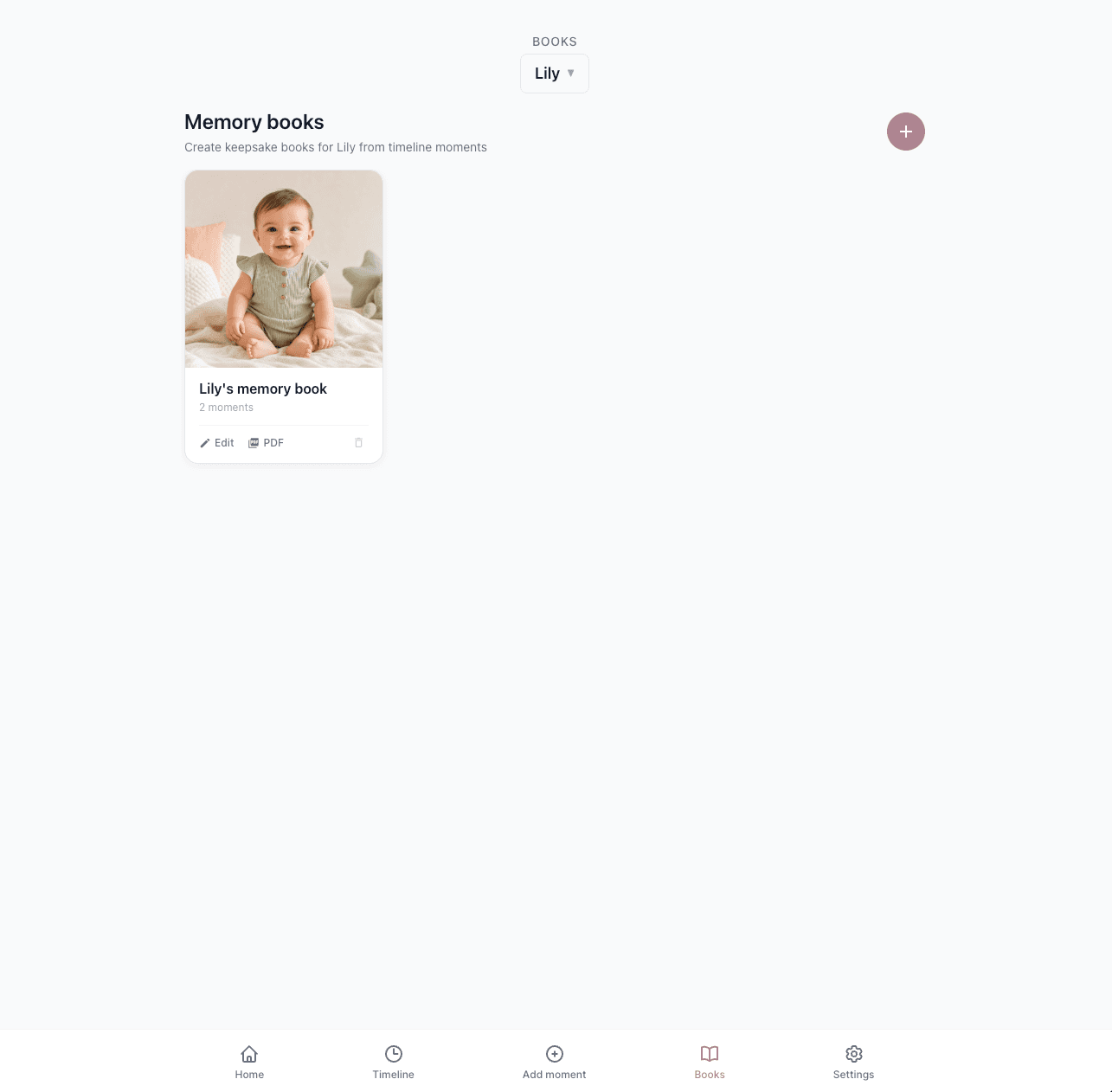
When you are ready, choose moments from the timeline, pick a cover and page style, and export a beautiful book you can hold. No blank page to start from.
Web, iOS & Android
Capture on your phone. Organize on the big screen.
Most apps make you choose one mode. Magic Baby Books is built for both, so the right screen is always there for the right parenting job.
Mobile for quick capture
Reach for your phone when your little one says something funny, tries a new food, or hits a tiny milestone in the middle of real life.
Web for overview and books
Sit down at a bigger screen to review photos, edit text, select your favourites, and design keepsake books with room to breathe.
One timeline everywhere
The same memories, family sharing, and book material stay in sync across web, iOS, and Android.
What you can capture
Room for every kind of little moment.
Not a milestone checklist to keep up with, just gentle prompts for the everyday things worth keeping.

First words & sounds

Everyday firsts

Food & tastes

Family & relatives

Favourite things

Hand & footprints

Sleep & routines

Birthdays & holidays
Plus voice-assisted memories, milestones, school days, family events, and anything else worth saving.
Keepsake books
Books that begin with memories you already saved.
Instead of opening an empty editor months later, your timeline is already the source material. Choose the real moments, pick a cover, adjust the design, and export a keepsake you can hold.

Private by design
Your child's life is not a public feed.
Magic Baby Books is built around the people closest to you, and nobody else.
Private by default
Your child's life is not a public feed. Nothing is shared until you decide to share it.
You choose who sees what
Invite family by email as viewers or contributors. Each person signs in and only sees the moments you have shared with them.
Yours to keep
Your memories belong to you. Keep them in the timeline or export them as books and PDFs whenever you like.
Save it today. Years from now, it becomes a book.
Add the memory once. Share it with family if you want. Come back to it whenever you are ready to turn the timeline into something you can hold.

Simple pricing
Free for 7 days. Then keep everything that matters.
Try the whole app free for a week. After that, a simple premium subscription keeps your timeline growing and your books ready to make.
Premium
Full access for the parent who owns the timeline.
or $49.99 / yearSave 40%
- Unlimited moments, photos, and videos
- Private family sharing with viewers and contributors
- Keepsake books and print-ready PDF export
- Web, iOS, and Android, always in sync
- Gentle prompts and reminders
Family always joins free
Anyone you invite can see and add moments without paying. Only your account needs premium.
Viewer
Follows the shared timeline, reacts, and comments.
Contributor
Does everything a viewer can, and adds their own moments too.
Good to know
Questions parents ask first.
Is Magic Baby Books private?+
Yes. Your timeline is private by default. Family members only see the specific moments you choose to share, and they sign in with their own email.
Which devices can I use?+
Magic Baby Books works on the web, iOS, and Android. Capture on your phone in the moment, then organize and make books on a bigger screen.
Do I have to start from my child's birth?+
Not at all. Start with one moment today. You can add older photos and stories whenever it suits you. There is no catching up to do.
Can family be part of it?+
Yes. Invite close family as viewers, who follow along and can react and comment, or as contributors, who can also add their own moments. You always stay in control of the timeline, and invited family never pay anything.
What can I put in a keepsake book?+
Any moments from the timeline, including stories, photos, milestones, and quotes. Pick a cover and page style, then export a print-ready book.
How much does it cost?+
Every new account starts with a 7-day free trial with full access. After that, a premium subscription keeps your timeline and book creation going. Family you invite as viewers or contributors are always free.
Save the little things, before they scroll away.
Build the timeline your family enjoys now and your future books will be made from. It starts with one moment.
7-day free trial · Private by default · Web, iOS & Android